
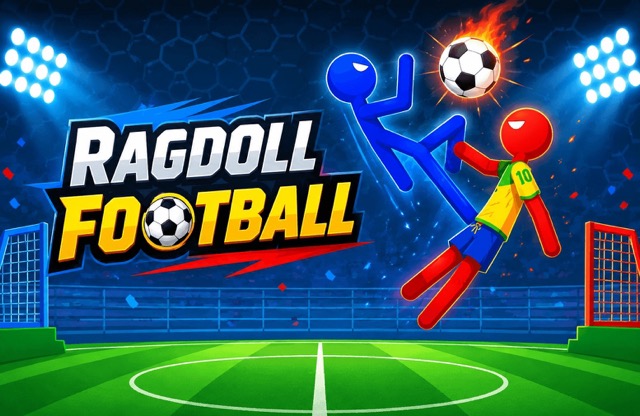
About Ragdoll Football
Ragdoll Football makes the player’s unstable body part of the football problem. Reaching the ball does not automatically mean you have a clean kick: the head, feet, and direction of motion all matter. A useful attack starts with reading what contact is actually available, then choosing the corresponding action.
Training provides a place to learn that response before taking it into a timed match or another available competition. The game also includes local play and additional modes unlocked through its progression. Begin with ordinary movement, headbutts, and kicks; then consider boosters once you understand the specific situation you want them to help with.
How to Play Ragdoll Football
Use WASD to move and jump, Q to headbutt, and E to kick. Make reachable contacts, recover from awkward body positions, and outscore the opponent in the selected match mode.
- Enter Training first if the body movement is unfamiliar.
- Move toward the ball and choose between a head contact and a kick.
- Use an available booster through its on-screen button when appropriate.
- Review the match result and check which additional competitions are unlocked.
Controls & Timing
Body position comes first
Before pressing an attack key, notice which part of the character can meet the ball. A kick chosen while the feet are poorly placed may be less useful than waiting for a cleaner contact.
Recovery is part of the move
After a collision or awkward landing, watch how the body settles. Adding several inputs immediately can make it harder to distinguish a deliberate correction from the motion already under way.
Controls
| Input | Action | When to use |
|---|---|---|
| WASD | Move and jump | Position the character |
| Q | Headbutt | Contest a reachable high contact |
| E | Kick | Strike a ball within kicking reach |
| Mouse click on booster button | Activate available booster | Apply the selected effect |
High Score Tips
- Learn a controlled touch before a full attack. In Training, approach the ball and use one action at a time. Understanding a simple contact makes later combinations easier to judge.
- Aim your approach at the contact point. Do not look only at the net. First reach a body position from which the head or foot can send the ball in a useful direction.
- Let the previous motion reveal itself. If the character is already tumbling, watch before making a big correction. This helps you avoid responding to the body’s old position rather than its current movement.
- Read a booster before selecting it. Match its visible effect to the problem in front of you. Use it as a deliberate choice instead of a substitute for understanding why ordinary contacts are failing.
Key Features
- Ragdoll movement: The body’s position affects contact decisions.
- Headbutt and kick inputs: Q and E offer distinct ways to reach the ball.
- Training and match options: Practice supports the wider competition modes.
- On-screen boosters: Extra effects supplement the basic football actions.
Frequently Asked Questions
Why does reaching the ball not guarantee a kick?
Check where the feet are and how the body is moving. A useful contact depends on more than distance, so adjust the approach or wait for a better position.
When should I use Q instead of E?
Q performs a headbutt and E a kick. Choose the action whose contact point can reach the ball, then watch the outcome before combining it with more movement.
Are penalty and tournament modes immediately available?
The source version describes progression requirements for additional modes. Check the current menu’s unlock message rather than assuming every competition can be entered from the first session.
How should I learn without wasting a match?
Start with Training and test movement, a headbutt, and a kick separately. Once those contacts feel understandable, enter a match to practice choosing between them under pressure.
Gameplay Video
Ragdoll Soccer gameplay