

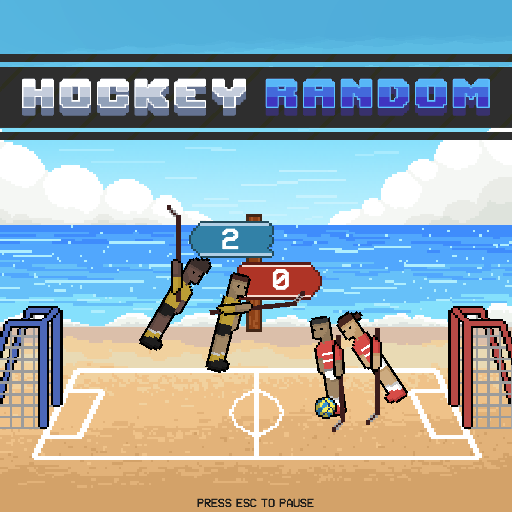
About Hockey Random
Hockey Random puts the uncertainty of physics at the center of a hockey match. A simple team action can become an attack, a block, or an awkward collision depending on when it happens. The important information is on the rink: the puck’s route, the stick angle, and whether your players are in a position to make a useful contact.
Play against the computer or use the local two-player option for a shared-keyboard contest. Instead of trying to force a perfect skating pattern, work on reading the next reachable puck. If a collision sends play in an unexpected direction, treat that as a new problem rather than continuing the attack you planned before the collision.
How to Play Hockey Random
Use W for one team and Up Arrow for the other in local play. Time a jump and stick contact to send the puck toward the opposing goal, then prepare for its next direction.
- Select a solo or local match from the menu.
- Watch the puck and your team’s orientation before the first challenge.
- Press your action when the stick can make a useful attacking or defensive contact.
- Read each new round’s conditions and continue to the displayed winning result.
Controls & Timing
Contact depends on orientation
A press made while the stick points toward the puck can have a different outcome from one made while the player is turning away. Look for a useful meeting point instead of treating every nearby puck as an immediate shooting chance.
Rebounds change the decision
After a wall or player contact, check the puck’s new direction. Your next useful action may be a defensive block even if you were attacking a moment earlier.
Controls
| Input | Action | When to use |
|---|---|---|
| W | Player 1 jump / stick action | Meet the puck with your team |
| Up Arrow | Player 2 jump / stick action | Local two-player match |
High Score Tips
- Keep your attention low when danger is close. The puck’s route toward your goal matters more than the motion of a character far from it. Prioritize the next possible scoring contact.
- Allow a useful approach. If the puck is coming toward your stick, waiting briefly may produce a clearer contact than an immediate press that lifts the stick away.
- Read an entire bounce. Notice both the surface it hits and the direction it leaves. Acting from the old route can send your team away from the next interception.
- Change rhythm deliberately. If repeated presses leave you badly balanced, slow down for an exchange. Use the resulting contact to judge when a quicker second input would actually help.
Key Features
- Physics-led hockey: Player motion and collisions shape each exchange.
- Shared team action: A short control scheme puts emphasis on timing.
- Computer opponent: Solo play provides a place to learn the rink behavior.
- Local two-player matches: Separate keys let two people compete together.
Frequently Asked Questions
Why is the puck difficult to direct?
Your timing interacts with the team’s body and stick positions. Try judging the contact angle before pressing, then watch the puck afterward to learn what the input produced.
Do I need a separate shooting button?
The documented one-button layout uses the team action to create contact. Concentrate on meeting the puck well instead of expecting an independent aim-and-shoot control like a conventional hockey simulation.
How should I defend a loose puck?
Watch its path toward your goal and look for the next reachable interception. Avoid committing simply because the opponent moved; their action may not be the main threat.
Can two people play locally?
Yes. The local layout uses W and Up Arrow for the two sides. Start with deliberate inputs so both players can learn how their team responds before accelerating the pace.
Gameplay Video
Puppet Ice Hockey 2014 Cup gameplay