



About Basket Random
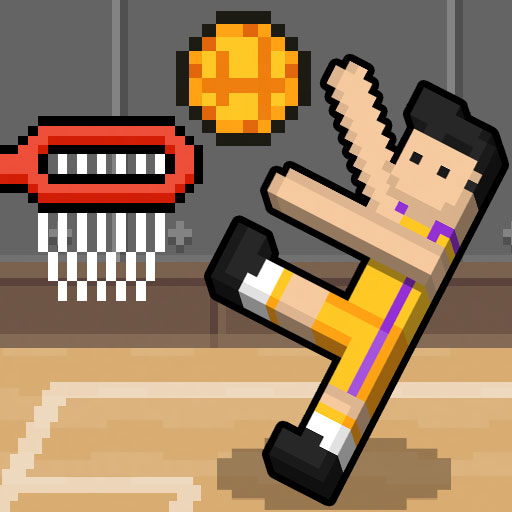
Basket Random turns a basketball match into a contest of body position and release timing. Each side has two characters, but you do not direct them like independent athletes. Their leaning movement makes the moment of your input important, and possession gives you another decision: when to let go of the ball.
Conditions can change between points, so the previous shot is a useful reference rather than a recipe. Look at the new setup before repeating your rhythm. The aim is to win the match’s race to five, but the best immediate task is smaller: get a controllable contact, recognize the shooting opportunity, and avoid turning a recoverable position into a scramble.
How to Play Basket Random
Use W for Player 1 or Up Arrow for Player 2. Time the team’s movement, hold possession when appropriate, and release for a shot at the opposing basket.
- Choose the computer opponent or local two-player mode.
- Watch how your pair is leaning before making the next input.
- When holding the ball, judge the distance and release toward the basket.
- After the point, read the changed setup and continue toward the winning score.
Controls & Timing
Possession has a release window
Holding the control key while you have the ball lets you delay the throw. Use that interval to judge the basket and defender, then release before the body position becomes awkward.
A new point is a new reading
Ball behavior and body proportions can change the next exchange. Make a small adjustment first instead of assuming the same timing will produce the same result.
Controls
| Input | Action | When to use |
|---|---|---|
| W | Player 1 team control | Move and challenge with the team |
| Up Arrow | Player 2 team control | Local two-player play |
| Hold the assigned key, in possession | Hold the ball | Wait for a useful shooting position |
| Release the assigned key, in possession | Throw the ball | Take the shot |
High Score Tips
- Observe before adding another input. If both characters are already moving awkwardly, a rapid extra press can make the next contact harder to read. Watch the team’s orientation and act with a specific target in mind.
- Use your first contact as information. Notice how far the current ball travels and how quickly it drops. That observation gives you a better basis for the next attempt than relying on the previous round.
- Judge the defender and rim together. An apparently good angle may still run through a raised defender. Look for a release that addresses both obstacles rather than staring only at the basket.
- Reset your expectations after conceding. A lost point is also a chance to examine the new conditions. Rushing the restart can carry yesterday’s timing problem into a different setup.
Key Features
- Two characters, one control: A whole side responds to one input.
- Hold-and-release possession: The release is part of the shooting decision.
- Changing round conditions: Different balls and bodies affect how you judge contact.
- Local competition: Two people can face each other on one keyboard.
Frequently Asked Questions
Can I choose exactly where each character walks?
The team uses a single control with physics-driven movement. Watch the direction of the lean and time your input; think in terms of creating a useful contact rather than positioning separate athletes.
Why did the same input produce a different shot?
Compare the current body position, distance, and ball with the previous attempt. Changing conditions can make the old timing a poor fit even if the key press itself feels identical.
Should I release as soon as I catch the ball?
Only if the position already offers a useful shot. Otherwise, briefly read the basket and defender, then release while the opportunity is still clear rather than waiting indefinitely.
Can a friend play on the same computer?
Yes. Use local two-player mode with W for one side and Up Arrow for the other. Each person controls a team rather than a single independent character.
Gameplay Video
Basket Random gameplay