



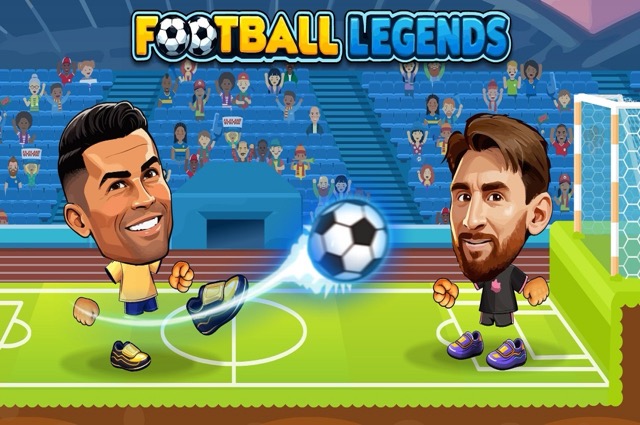
About Football Legends 2026
Football Legends 2026 places exaggerated football actions inside quick matches and tournament competition. Movement, jumping, sliding, regular shooting, and supershots each have a role, so learning the difference between them helps more than memorizing a single attack sequence. You need to reach a useful position before choosing how to strike.
The match options support solo play and local competition, with team play also described for the source version. In a shared team, two people can plan their roles instead of both chasing the same ball. In a duel, your own recovery matters even more. Treat the special move as part of a complete attack that also includes what happens if the first attempt fails.
How to Play Football Legends 2026
Move toward the ball, jump or slide when appropriate, and use X/K to shoot or Z/L for the supershot. Finish the timed match with more goals than the opposing side.
- Select a quick contest or tournament and confirm the player arrangement.
- Learn your movement and regular shooting inputs before using the special.
- Create an angle, make the attacking contact, and watch the result.
- Recover or cover a teammate, then continue through the result screen.
Controls & Timing
Ground and aerial challenges
A slide and a jump solve different contact problems. Choose based on the ball’s height and direction, leaving enough space to respond if the opponent reaches it first.
A special needs a setup
Before using the supershot, look at the ball and the defender together. If the ordinary approach is already poor, change the position rather than expecting the special action alone to fix it.
Controls
| Input | Action | When to use |
|---|---|---|
| Player 1 A/D; Player 2 Left/Right | Move | Approach or recover |
| Player 1 W; Player 2 Up | Jump | Reach a high ball |
| Player 1 S; Player 2 Down | Slide | Make a low challenge |
| Player 1 X; Player 2 K | Shoot | Normal attack |
| Player 1 Z; Player 2 L | Supershot | Special attack |
High Score Tips
- Learn the regular shot as a reference. A predictable ordinary attempt helps you judge whether you needed a special move at all. Start with clear contacts before adding dramatic actions.
- Avoid committing both teammates. When one player attacks the ball, the other can cover the next route. That spacing gives the team an answer if the challenge does not work.
- Check the ball before sliding. A low action is useful only when it can affect the play. Sliding after the ball has already moved away may give the opponent an easier second touch.
- Use the tournament to practice consistency. After a win, remember the decisions that reduced risk as well as the goal that looked impressive. Reliable defending carries into the next match more readily than a fortunate finish.
Key Features
- Ground and air tools: Jumps and slides support different challenges.
- Separate supershot input: The special action has its own key.
- Match and tournament options: Choose an immediate game or a longer competitive run.
- Local player setups: The source version includes competition and cooperative team play.
Frequently Asked Questions
Which input is the regular shot?
Player 1 uses X and Player 2 uses K. Keep these separate from Z/L for supershots so you can choose the action deliberately instead of triggering the wrong one under pressure.
When should I slide instead of jumping?
Read the ball’s height and path first. Use the action that can make a useful contact, and avoid committing when neither a low nor an aerial challenge is realistically reachable.
How should a cooperative pair divide the pitch?
Let one person pressure the ball while the other covers a likely next route. Reassess after contact rather than remaining permanently assigned to a position that no longer fits.
Does a special attack guarantee a goal?
Do not treat it as a guarantee. Build the shooting opportunity first and watch the outcome, then recover if the ball remains in play instead of assuming the attack has finished.
Gameplay Video
Football Legends 2026 gameplay