

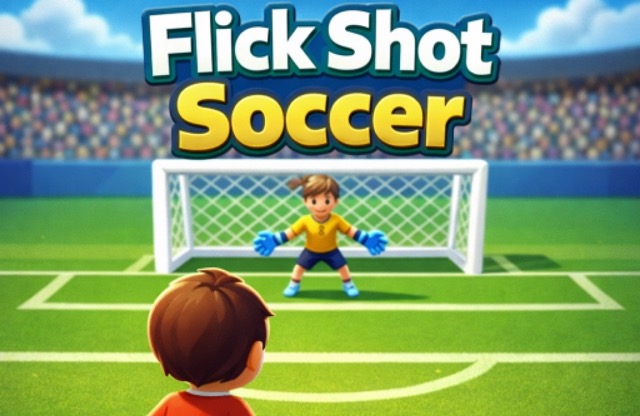
About Flick Shot Soccer
Flick Shot Soccer focuses on the moment of choosing a shot. You drag to set it up, make the adjustment you want, and release to kick. That short sequence makes the result easy to compare with your intention: where you aimed, when you let go, and where the ball actually travelled.
Use that clarity to build a repeatable routine. Rather than changing every part of the gesture after a miss, decide whether the direction or the release needed the larger correction. The next attempt becomes a focused test. Consistent shooting comes from understanding a small set of gestures well enough to adjust them when the visible setup changes.
How to Play Flick Shot Soccer
Press and drag with the mouse to line up the attempt, then release to kick toward the net. Observe the outcome and adjust the next shot’s direction or timing.
- Inspect the ball, goal, and any visible obstruction before aiming.
- Begin the drag and choose a line toward a reachable part of the net.
- Make the final correction, then release to take the shot.
- Watch the result and use the game’s displayed continuation or retry option.
Controls & Timing
The drag is a planning interval
Use the time before release to confirm the line you want. If the aim is not clear, correct it deliberately rather than releasing only because the gesture has already started.
A miss has a direction
Watch where the ball finishes relative to the intended target. A small miss calls for a more measured response than a shot that left on a completely different line.
Controls
| Input | Action | When to use |
|---|---|---|
| Press and drag with the mouse | Aim the shot | Prepare the ball’s direction |
| Release the mouse | Kick | Commit to the chosen shot |
High Score Tips
- Pick a visible reference. Choose a specific area of the goal before starting the gesture. It gives you a clear comparison after the ball travels rather than a vague impression of success or failure.
- Correct the main error first. If direction was the obvious problem, adjust that while keeping the rest of the gesture familiar. Changing several things together makes the next result harder to interpret.
- Keep the gesture controlled. A rushed movement can overshoot the line you intended. Give yourself enough time to inspect the final aim before release, especially after an unsuccessful attempt.
- Watch every complete attempt. The initial direction does not always tell the whole story. Waiting for the outcome gives you more useful feedback than immediately preparing another hurried drag.
Key Features
- Drag-to-aim setup: The shot begins with a direct mouse gesture.
- Release-to-kick action: Letting go commits the attempt.
- Precision focus: Direction and timing form the central challenge.
- Immediate visual feedback: Compare the ball’s route with the target you chose.
Frequently Asked Questions
How do I take a shot?
Press and drag to aim, then release the mouse to kick. Choose an intended area of the goal first so you can judge whether the result matches your setup.
What should I change after a narrow miss?
Use a small correction based on which side of the target the ball passed. Keep the rest of the gesture familiar so you can see whether that correction helped.
Why should I wait for the result?
The completed attempt shows more than the launch alone. Watch where the ball ends before deciding whether the next change should concern direction, timing, or the route you selected.
Do I need a complicated keyboard combination?
The sourced instructions center on a drag-and-release shot. Focus on making that gesture repeatable rather than adding unverified movement, spin, or special-action shortcuts to your routine.
Gameplay Video
Flick Soccer Summer Cup 2017 gameplay